Cryptocurrency has become a mainstream topic in recent years. With the surge in interest, countless platforms have emerged to help the buying, selling, and trading of digital currencies.
One of the most popular and reputable of these platforms is Binance. Founded in 2017 by Changpeng Zhao (often referred to as “CZ”), Binance quickly gained a global footprint.
It offers a vast range of trading pairs, competitive fees, and advanced features for both novice and experienced traders.
If you’re considering dipping your toes into the crypto world, opening a Binance account is a solid starting point. Your goal is to explore new investment opportunities.
Alternatively, you want to experiment with digital assets. The registration process is straightforward.
In this guide, you’ll learn the step-by-step process to open an account on Binance. You will also find useful tips for security. Additionally, there are tips for verification and ongoing use.
Before diving straight into opening an account, there are a few things you should have ready to streamline the process:
- Email Address: Make sure you have a secure and easily accessible email address. This will be required for verification purposes and important notifications from Binance.
- Phone Number (Optional but Recommended): You can sign up with just an email. However, using a phone number can add an extra layer of account security.
- Valid Identification Documents: The required identification depends on your jurisdiction and the level of verification you want. You will need to provide a government-issued ID. This is a passport, driver’s license, or national ID. Having these documents handy will make the process smoother.
- Secure Password: Create a strong password, ideally with a mix of uppercase letters, lowercase letters, numbers, and special characters.
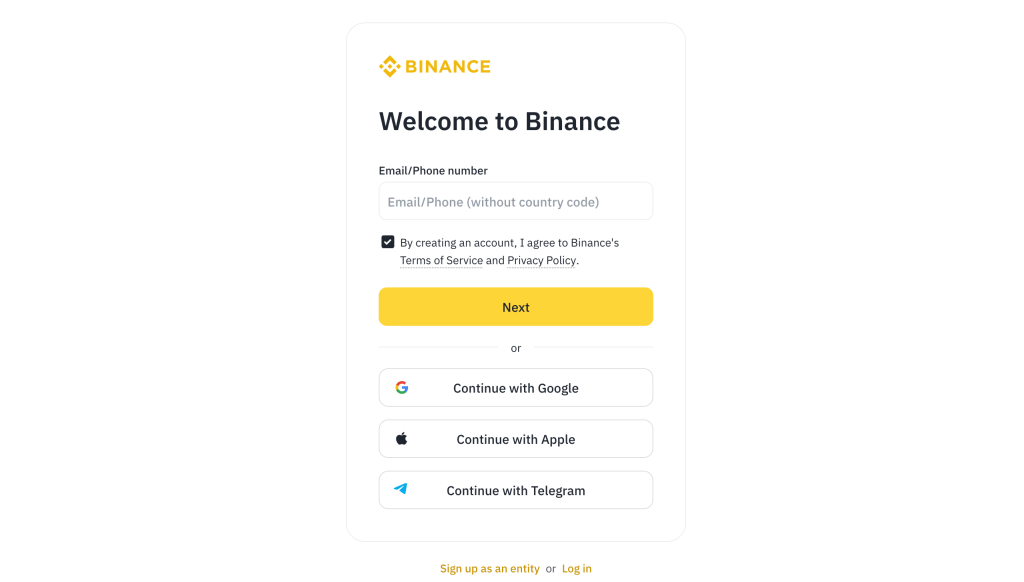
Once your preparations are complete, you’ll begin by visiting the official Binance website. Always ensure you’re on the legitimate site to avoid phishing scams:
- Go to the Official Website: Type “binance.com” directly into your browser’s address bar. Avoid clicking on suspicious links or advertisements found elsewhere.
- Check for the Security Certificate: Look for the padlock symbol in the address bar. This confirms you’re on the secure site. This step is critical because scammers often create look-alike websites.
- Language Settings: If you prefer a language other than English, Binance supports multiple languages. You can select your preferred language from the dropdown menu typically located at the top-right corner.
Now that you’ve arrived on the correct site, it’s time to register:
- Click ‘Register’: On the Binance homepage, look for the “Register” or “Sign Up” button. You’ll usually find it in the top-right corner of the page.
- Select Your Registration Method: Binance allows you to register using an email address or a phone number. If you choose to sign up with your phone, make sure it’s a number you consistently use. You will receive verification codes at that number.
- Enter Account Details: This includes your email or phone number and your chosen password. Double-check for accuracy. A small typo here can lead to delays in the verification process.
Binance has different levels of verification, each unlocking various features and transaction limits:
- Receive the Verification Code: After clicking “Create Account,” Binance will automatically send a verification code to your email or phone. Retrieve the code and enter it within the specified time limit.
- Account Confirmed: Congratulations! You’ve completed the initial step of creating a Binance account. You now have what is known as a “Basic” account.
- Account Dashboard: After logging in, you’ll have access to your dashboard. It displays quick links to trading. You can also deposit funds and access other platform features.
However, Basic verification often restricts the amount you can deposit, withdraw, or trade. To fully unlock features like higher withdrawal limits, you’ll need to complete further Know Your Customer (KYC) verification processes.
Certain fiat deposit methods also require this. It is mandatory in many jurisdictions for regulatory compliance.
Security should be a top priority when dealing with digital assets:
- Two-Factor Authentication (2FA): Binance strongly recommends enabling 2FA. You can use either Google Authenticator or SMS verification. Google Authenticator tends to be safer. It doesn’t rely on your phone’s SMS. This makes it less vulnerable to SIM-swap attacks.
- Anti-Phishing Code: Binance provides the option to set up an anti-phishing code. This code appears in every official email you receive from Binance. It helps you distinguish genuine Binance emails from potential phishing attempts.
- Withdrawal Whitelist: Another effective security feature is the withdrawal address whitelist. This allows withdrawals only to specific wallet addresses. You’ve pre-approved these addresses.
- Secure Your Devices: Make sure your computer or mobile device has updated security software. Avoid accessing your Binance account on public Wi-Fi networks to minimize the risk of hacking or data theft.
Though you can start trading on some basic levels without identity verification, completing Binance’s identity verification process comes with several benefits:
- Go to User Profile: Find the profile icon on the top-right corner of the homepage. It is often depicted by a small silhouette or the first letter of your account.
- Click ‘Identification’: Here you can see different verification levels: Basic, Intermediate, and Advanced.
- Upload Documents: You’ll need to provide a copy of your government-issued ID. In some cases, proof of address is required. You will also be asked for a selfie to confirm your identity.
- Verification Status: Binance will review your submission. The verification process can take a few hours. It can also take a couple of days. This depends on your region and the clarity of your documents.
Once verified, you’ll unlock higher withdrawal limits and extra features like fiat deposit and withdrawal methods.
After your account is set up and verified, you’re ready to deposit funds:
- Select ‘Wallet’: Navigate to the “Wallet” section in the top menu. You’ll see various options like “Spot,” “Funding,” “Margin,” and more.
- Choose Your Currency: Click “Deposit” and select the cryptocurrency or fiat currency you wish to deposit. If you’re depositing fiat money (like USD or EUR), you’ll generally have to link a bank account. You may also use a credit/debit card, depending on local regulations.
- Obtain the Deposit Address: If you’re depositing cryptocurrency, Binance will generate a deposit address for that specific coin. Always double-check you are sending the correct coin to the correct deposit address.
- Wait for Confirmation: Cryptocurrency transactions require network confirmations. The number of confirmations needed varies by blockchain network.
Before you place your first trade, it’s important to understand Binance’s trading interface:
- Spot Trading vs. Margin vs. Futures: Binance offers several trading options. Most beginners start with spot trading, where you buy and sell actual cryptocurrencies.
- Basic vs. Advanced Interface: Binance typically has two main interfaces: “Classic” (Basic) and “Advanced.” The advanced view offers more technical analysis tools. It provides order book depth charts. These are other features that experienced traders find useful.
- Charts and Order Types: You’ll see price charts powered by TradingView or another integrated charting system. Familiarize yourself with order types such as Market Orders, Limit Orders, and Stop-Limit Orders.
- Trade Execution: When ready, select the trading pair you want (e.g., BTC/USDT), enter the amount you’re buying or selling, and confirm the transaction.
Once you begin trading, it’s easy to get wrapped up in the excitement. However, consider these key points:
- Understand Market Volatility: Cryptocurrencies can fluctuate wildly in price. Only invest what you can afford to lose.
- Periodic Account Reviews: Check your account balance and transaction history regularly. Staying informed helps you notice any irregular activity quickly.
- Transfer to a Personal Wallet: For long-term holdings, many people prefer transferring their cryptocurrency to a private wallet. In this way, they control the private keys. While Binance is reputable, storing large sums on any exchange introduces a degree of counterparty risk.
- Keep Learning: Crypto is a rapidly evolving space. Stay updated on Binance’s new features and security best practices.
 Cryptal World
Leave a comment